


“Be tolerant with others and strict with yourself.” – Marcus Aurelius
A Meme That Travels the World
Imagine this: You send a meme to your friend in another country. Within seconds, they receive it. What you didn’t see was the incredible journey your meme took. It zipped through routers, switches, undersea cables, satellites, and thousands of machines that never once got your thanks.
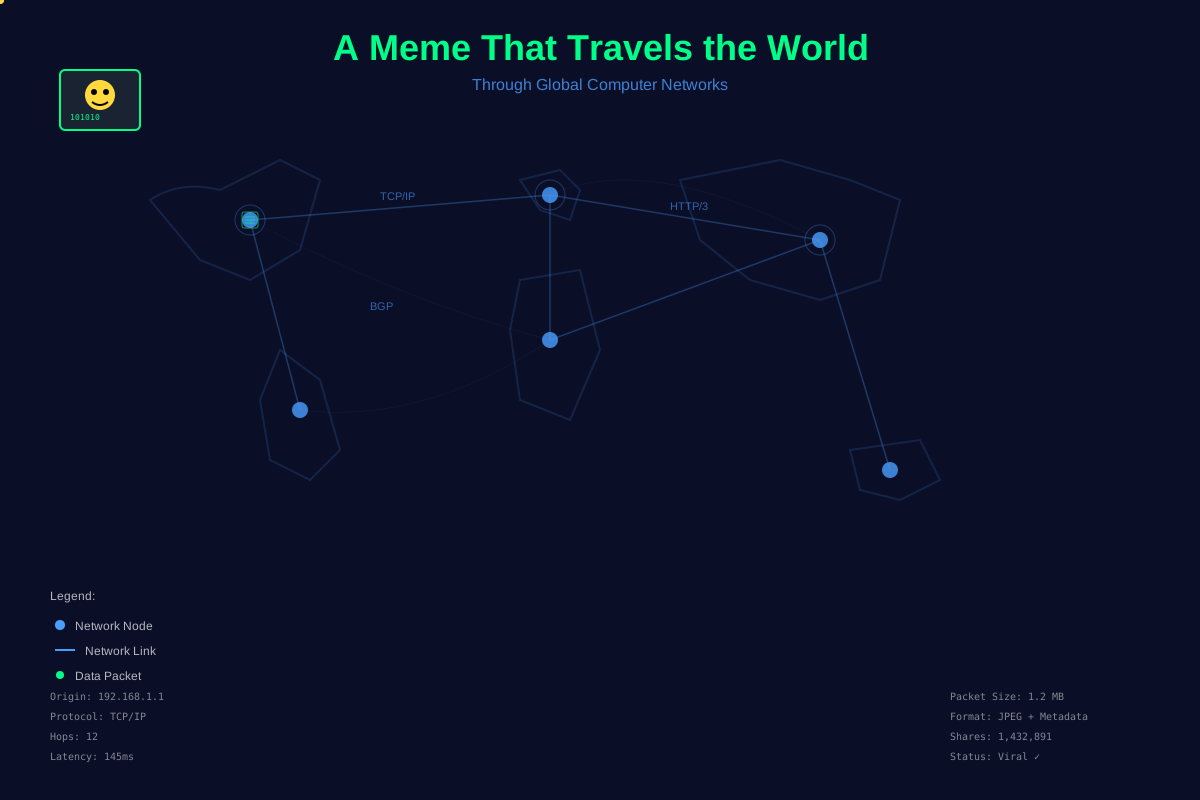
That’s the power of computer networks—the invisible web that lets our digital world exist.
But here’s the truth: networks weren’t always this fast, reliable, or even this connected. They grew out of decades of experimentation, failures, and brilliant innovations. To understand the systems reliability engineers manage today, we need to step back and ask:
What exactly is a computer network, and how did it become the backbone of the internet?
At its core, a computer network is a collection of devices connected together so they can share data.
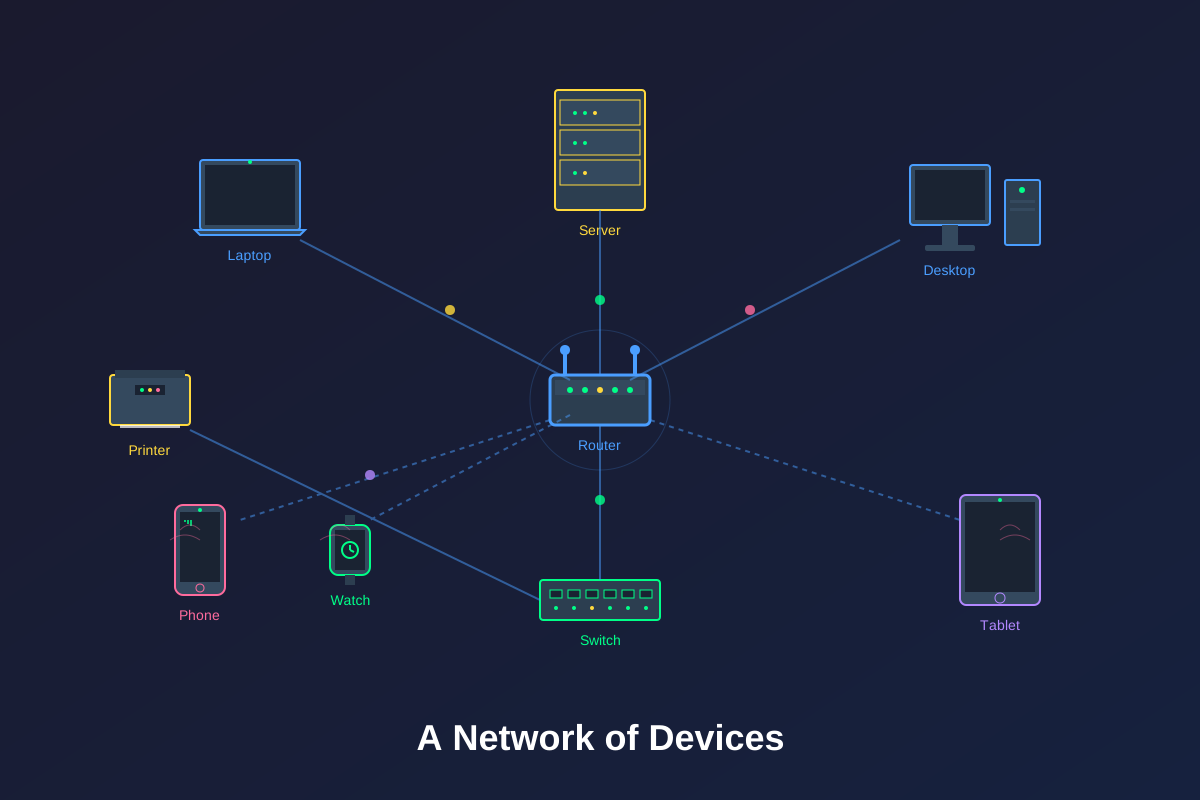
Notice we didn’t just say “computers.” That’s because not every node in a network is a traditional computer. Think of:
- Routers and switches that direct traffic like digital traffic cops.
- Servers that store applications, files, or even your entire Netflix library.
- Smartphones, IoT gadgets, or even your fridge reporting to the cloud.
If a device can communicate digitally, it’s part of the network.
👉 The beauty of networks is that they don’t care what the device is. They only care about whether it can talk the language of the network.
Why Do We Need Networks?
Before networks, every device was an island. To transfer files, people used floppy disks or CDs (some called this “sneakernet” 👟 —literally carrying data around by foot).
Networks solved that problem and gave us:
- Communication: Emails, video calls, memes—instant, global, and nonstop.
- Resource sharing: Printers, storage, even computing power.
- Collaboration: Google Docs, Slack, GitHub—all powered by networks.
- Scalability: From startups to Google-scale systems, networks make growth possible.
In short: no networks, no modern life. 🙃
A Quick History: From ARPANET to Everywhere
The story of computer networks starts small:
- 1960s: The U.S. built ARPANET, connecting just a few machines. It was military-grade and experimental.
- 1970s–80s: Ethernet, TCP/IP, and personal computers arrive. Suddenly, businesses and universities join the game.
- 1990s: The internet becomes commercial. Websites, emails, and online chatrooms take off. Netscape and Microsoft ignite the browser wars.
- 2000s–Today: Wireless everywhere, smartphones in every hand, streaming, cloud services, global-scale applications.
Every milestone came from innovators like Vint Cerf, DARPA, IBM, and later Google and Amazon scaling things beyond imagination.
Today, billions of devices are connected—but all of it rests on the same fundamental ideas that started in the ’60s.
How Devices Talk: Modes of Communication
Networking isn’t one-size-fits-all. Devices talk in different styles depending on what’s needed.
Point-to-Point
Direct link. One device to another. Like calling your friend on the phone.
Dedicated Lines
- Simplex: One-way only (TV broadcast).
- Half Duplex: Take turns (walkie-talkies).
- Full Duplex: Both talk at once (phone calls).
Shared Lines
- Multiplexing: Several devices share the same channel, but they take turns. Like many people using the same stage at karaoke 🎤.
Broadcasting and Multicasting
- Broadcast: One-to-everyone. Like shouting in a room.
- Multicast: One-to-many, but only to a group that wants it (like a private group chat).
These patterns might look simple, but they shape everything from Wi-Fi at home to satellite TV broadcasts.
Different Sizes of Networks
Not all networks are created equal—they scale like neighborhoods, cities, and countries.
- LAN (Local Area Network): Think of your home Wi-Fi or small office.
- MAN (Metropolitan Area Network): Bigger—covers cities, campuses, or large organizations.
- WAN (Wide Area Network): Global. The Internet itself is the biggest WAN, connecting everything.
The Rules of Networking: Protocols
Now, here’s the question: if devices are so different, how do they all manage to understand one another?
The answer: protocols.
Protocols are sets of rules that define how devices talk. Without them, every company could invent its own “language,” and nothing would work together.
Two Important Interfaces
- Service interface: How applications use the network (like your browser requesting a web page).
- Peer-to-peer interface: How the same layer in different devices talks (e.g., TCP on your laptop → TCP on a server).
The Layered Approach
Networking works in layers. Think of it like shipping a package:
- You write a letter (application).
- You put it in an envelope (transport).
- You label it with an address (network).
- You hand it off to the postal system (physical).
Each layer adds something new (headers) on the way out, and each layer strips off its piece on the way in. This process is called encapsulation and decapsulation.
Reference Models
To organize all of this, we use reference models:
- OSI (7 layers): More detailed, used for teaching.
- TCP/IP (4 layers): Simpler, practical, what the internet actually uses.
- ATM model: Niche, but historically important.
👉 In future posts, we’ll break down OSI vs TCP/IP in detail.
Network Topologies: The Shapes of Networks
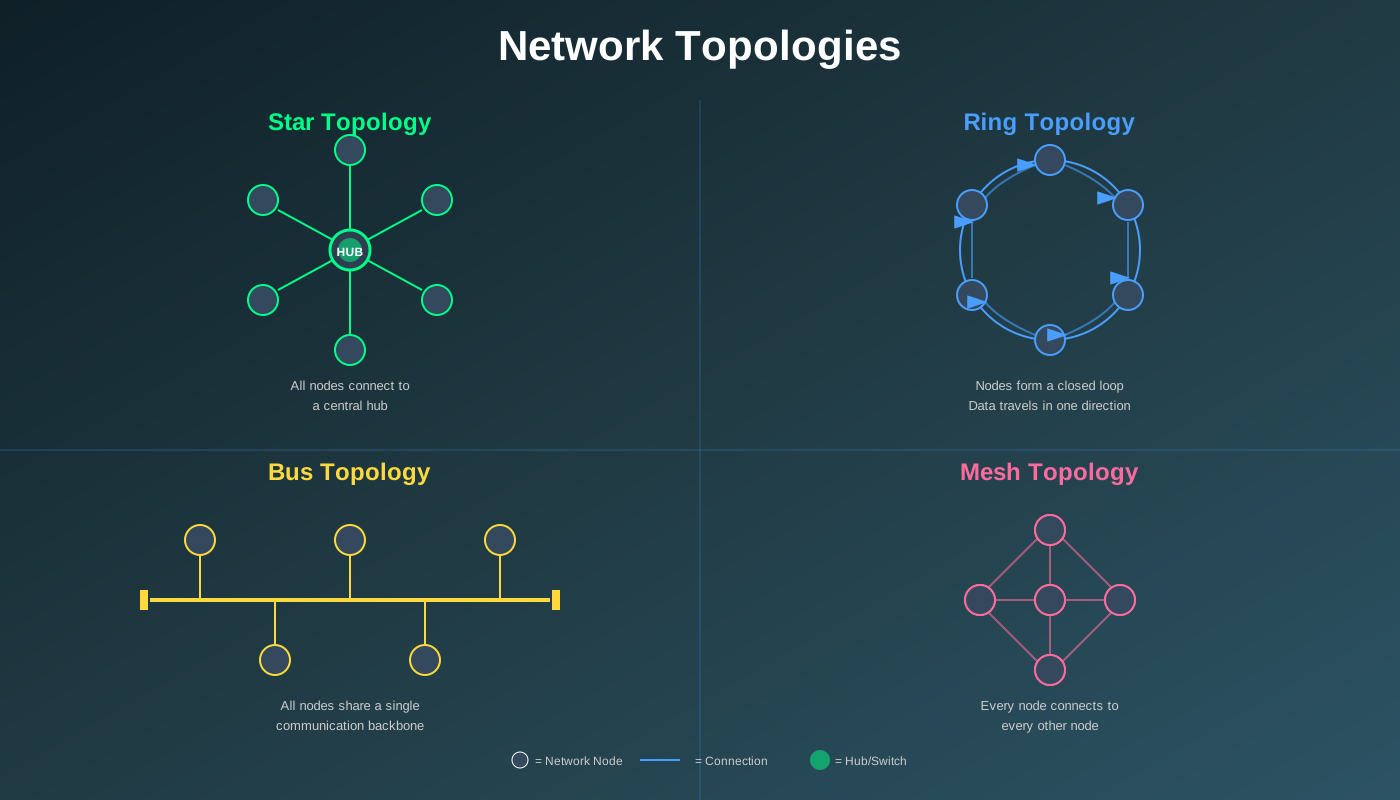
Networks aren’t random spaghetti—they have shapes. These shapes are called topologies.
- Star: Everyone connects to a central hub. If the hub dies, the whole network dies.
- Ring: Each device connects in a loop. Data passes around until it finds its destination.
- Bus: One main cable, all devices share it. Simple but risky—if the bus fails, everything goes down.
- Mesh: Everyone connects to everyone. Expensive, but ultra-reliable.
Also:
- Physical topology: The actual hardware layout.
- Logical topology: How data actually flows, regardless of physical layout.
FAQs: Beginner Networking Questions
Q1: Is the internet just a network?
It’s more than that—it’s a network of networks.
Q2: Do all networks need cables?
Nope. Wi-Fi and cellular networks are wireless.
Q3: Why do we still learn OSI if TCP/IP rules?
Because OSI helps beginners visualize how things work. TCP/IP is the real-world version.
Q4: Broadcast vs Multicast?
Broadcast: everyone hears it. Multicast: only a specific group does.
Q5: Which topology is best?
Depends. Star is cheap and easy. Mesh is reliable but costly.
Q6: Why does an SRE need to know this?
Because most outages, latency issues, or downtime eventually trace back to the network.
Closing Thoughts
Computer networks are the beating heart of the internet. They turned isolated machines into a connected world. From ARPANET experiments to today’s massive cloud systems, networks have made everything we rely on—social media, streaming, video calls, banking—possible.
For anyone stepping into Site Reliability Engineering, this is your foundation. You don’t need to memorize every protocol yet. But you do need to appreciate how networks actually work, because reliability always has a network at its core.
In the next post of this series, we’ll explore the OSI model in detail—and explain it like a pizza 🍕.


No Comments